

Blog · 2026-10-16
Missing Dimensions in Construction Documents: A Revit Dimension QA/QC Guide
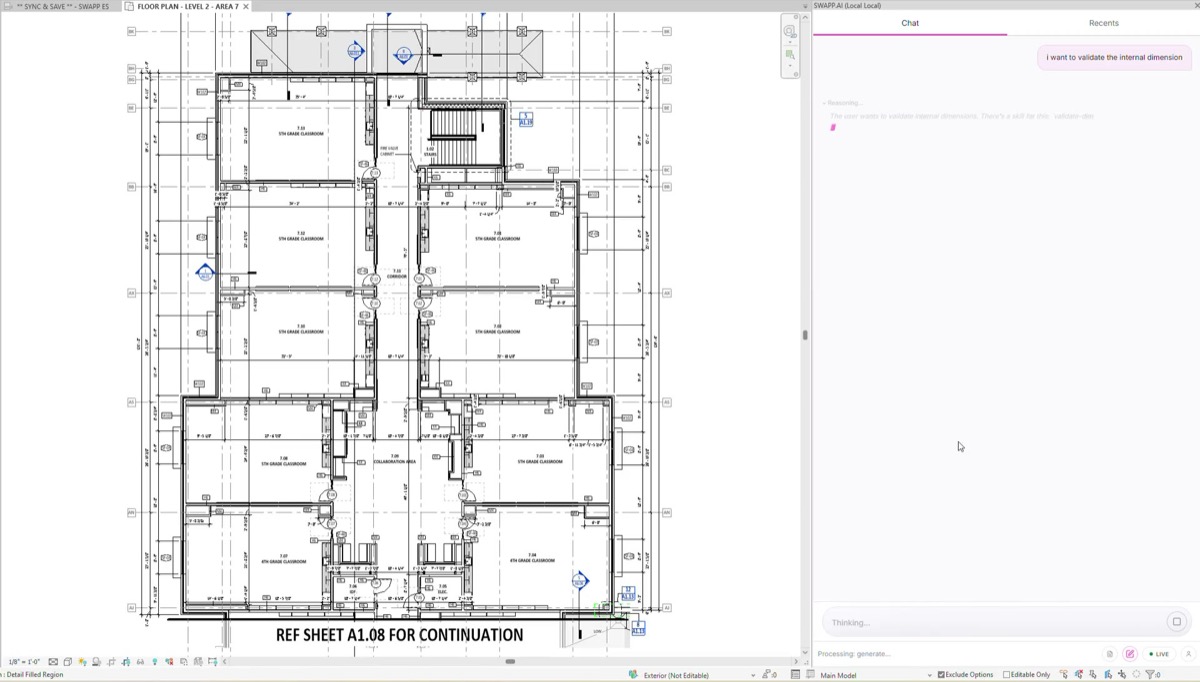
One missing dimension can stop work in the field. A framer stands at a slab with a chalk line and a floor plan, and the question is simple: where exactly do I measure this wall from? If the drawings don’t answer it, the crew either guesses or stops and writes an RFI. Either way, the question comes back to the architect who issued the set.
Nobody became an architect to check dimensions. Still, before a CD set leaves the office, someone has to go through every wall and every string, and that job usually lands on a senior architect in the week of the deadline. This post covers how we approach Revit dimension QA/QC: what can go wrong with a dimensioned wall, how to review it faster, and how to move the check earlier so it stops being a deadline-week chore.
Why missing dimensions become RFIs
Contractors issue RFIs when the documents leave a question open. Procore’s contractor guide to RFIs lists design clarifications for “conflicts, incomplete plans, specifications” among the common types, and notes that contracts often require notification when “errors, conflicts or omissions” are discovered. A wall with no dimension is an omission. Two strings that disagree about the same wall are a conflict. Both show up on site as a question someone has to answer in writing.
Each of those questions costs time on both sides. A 2013 Navigant Construction Forum study, as summarized in Construction Dive, estimated the average RFI at about $1,080 to review and respond to, with a median response time of 9.7 days. Those figures date from 2013, so read them as an order of magnitude. For the design team, the math is lopsided: a dimension the drafter forgot takes seconds to add in Revit and days to resolve once the contractor has found the gap.
Missing dimensions are also hard to see in review. A plan full of strings looks complete at a glance. The wall that nobody referenced doesn’t announce itself; you only find it by tracing every string back to the walls it touches, which is exactly the tedious work that gets rushed at the end of a project.
The five states of a dimensioned wall
When we built a QA/QC skill for this, we started by asking what a reviewer is really checking for each wall. The answer is more nuanced than “dimensioned or not.” Every wall on a floor plan falls into one of five states, and each one says something different about construction certainty:
- Missing. No dimension references the wall at all. This is the wall that generates the RFI.
- Indirectly dimensioned. The wall isn’t dimensioned itself, but a contractor could work out its location from the dimensions around it. It may be fine, but it asks the field to do arithmetic.
- Properly dimensioned. A direct dimension clearly locates the wall.
- Multiple dimensions. Several dimensions reference the wall and they agree. Check whether the redundancy is intentional, because redundant strings are the ones that drift apart after the next design change.
- Conflicting dimensions. Several dimensions reference the wall and they don’t agree. These need to be resolved before the drawings are issued.
Thinking in these five states changes the review. Missing and conflicting walls are the urgent ones. Indirect walls are a judgment call that depends on your office’s dimensioning standards and the trade that will build them. Redundant walls are a maintenance risk more than an immediate error.
Manual dimension review vs. a visual QA map
The usual manual process is a redline pass. A reviewer prints the plan or opens it on a second screen, follows each string, and highlights the walls that are covered. Whatever is left unhighlighted gets a note. On a large floor plate with hundreds of strings, that takes hours, and the result depends heavily on how tired the reviewer is. Conflicts are even harder, because spotting one means checking that the numbers in two different strings add up to the same location.
Frank’s dimension status map skill takes the other approach. It analyzes every wall on a floor plan and colors each one by its dimensioning status:
- Red for missing dimensions
- Orange for indirectly dimensioned walls
- Green for properly dimensioned walls
- Blue for multiple consistent dimensions
- Purple for conflicting dimensions
The architect gets a color-coded QA/QC map of the whole plan in one view. Instead of hunting for problems one string at a time, they go straight to the red and purple walls, decide what to do about the orange and blue ones, and move on. The architect still decides what to fix; the map shortens the search.
Moving QA into the dimensioning itself
A status map makes the end-of-project check faster, but it is still a check at the end. Firms tend to handle dimension QA/QC in one of two ways: they buy another QA/QC tool to run after the drawings are done, or they spend their best people’s hours on review. Either way the check happens last, and anything it finds means rework and a late set.
We built Frank to move that check into the work. When Frank places exterior dimensions, it detects the building geometry, openings and grids and places up to four strings per side (openings, massing, grids and overall), and you choose which sides and which string types. For interior dimensions, it runs strings wall to wall across the building, picking up interior walls and optionally door jambs, grids and curtain-wall mullions.
Both start from your firm’s guidelines, so every string follows the way your office documents its projects and the first pass already looks like your team drew it. Before anything is placed, the architect sees a preview and can adjust it. After it’s placed, Frank checks every wall and color-codes the result, so the review is a quick look at the flagged walls instead of a full pass over the sheet.
Across a firm, every team and office works to the same dimensioning standard, there is no separate system to buy and maintain, and senior architects spend less of the last week on string-tracing. You can see how this fits with the rest of Frank’s documentation skills, or read our broader take on quality assurance in architecture.
A pre-issue dimension checklist
Whether you use Frank or not, this is the list we’d run on every floor plan before a CD issue. It works as a construction document QA/QC checklist for the dimensioning part of the set:
- Every wall has at least one dimension that locates it directly, or a deliberate decision that an indirect location is acceptable for that trade.
- No wall is referenced by two strings that disagree. Check the strings that were edited after the last design change first.
- Redundant dimensions are intentional. If they aren’t, delete one so they can’t drift apart later.
- Dimensions reference the faces or centerlines your office standard calls for, and the choice is consistent across sheets.
- Exterior strings cover openings, massing, grids and overall dimensions on every side that needs them.
- Interior strings run continuously across the building and tie back to grids or exterior walls.
- Grids are dimensioned to each other and to the building.
- Openings in exterior walls are located, either by centerline or rough opening, according to your standard.
- Any dimension with an overridden value has been reviewed. A text override that no longer matches the model is a conflict waiting to happen.
- Re-run the check after the last round of design changes, since dimension strings are often the last thing updated.
Most of these items come down to the same question the framer asks on site: can I find this wall from what’s on the sheet? If your review process answers that for every wall, you’ll issue fewer sets that come back as RFIs. If you want to see Frank’s dimensioning and status map on one of your own plans, start with Frank.