
Blog · 2026-10-16
AI Plan Review vs. AI in the BIM Model: Where Architects Should Point AI First
There’s a consensus forming in AEC AI right now, and we think it’s aimed one step too late.
Much of the attention, and from what we see much of the funding, is going to systems that read finished 2D drawings and specs, pull out what’s in them, and catch the errors. That’s hard to build and useful once it works. A drawing, though, is a record of decisions that were already made. AI that reads the sheet catches mistakes after they exist. AI that works in the BIM model can help with the decision itself, before the drawing is produced and while a change still costs very little.
Both have a place. Here is how we think about the difference, and where we’d put the first dollar.
What document-reading AI does well
AI plan review has real strengths, and they come from the PDF being the format everyone shares.
- It works on any set, whatever software produced it, including consultant sheets and specifications your firm didn’t author.
- It can compare drawings against specs, and sheets against each other, across a whole package.
- It fits the checkpoints firms already have: before an issue, a permit submission or a bid.
- Owners, reviewers and builders who never open the authoring model can use it too.
If you’re reviewing work you didn’t produce, or doing a last pass on a full set before it goes out, reading the documents may be the only option, and a good document reader is worth having.
What a PDF loses vs. the authoring model
A PDF is a picture of the model at one moment. The National Institute of Building Sciences defines a building information model as “a digital representation of physical and functional characteristics of a facility” that serves as “a shared knowledge resource” for decisions over its life cycle. When the set is printed, most of that structure flattens into lines and text.
Take one door. In the model it’s an element with a type, a host wall, rooms on each side, a swing, its parameters and a mark that drives the door schedule. On the sheet it’s some lines and an arc, a tag with text in it, and a row in a schedule on another sheet. A document reader has to work out that the tag and the row belong to the same door. The model already knows.
A sheet also shows only what someone chose to show. View templates, visibility settings and crop regions decide what makes it onto the page, and the reasons something is missing can be hard to find. (Frank has a skill that runs 22+ checks just to work out why an element isn’t showing.) A document reader can tell you something looks absent. It can’t tell you whether it was hidden, never modeled, or deliberately left off.
Then there’s the fix. A finding on a PDF becomes a redline that someone has to carry back into the model. In the model, the finding and the fix happen in the same place.
Your firm’s judgment is the moat
No frontier model was trained on how your firm draws a wall type, sequences a set, or decides a detail is right. That knowledge is what makes your work yours, and most of it lives in a few team members’ heads. It’s richest during planning and modeling, inside the authoring tool, and much of it is gone by the time the work becomes a static PDF.
The general models anyone can rent keep getting better, and every firm can rent the same ones. What they don’t have is your standards. The firms that get the most from AI will be the ones that teach it their own rules: tagging conventions, how doors get marked, how plans get dimensioned, what a finished sheet looks like in their office.
That’s why we built Frank to work from a firm’s own standards. One of its skills audits a sheet against your guidelines and reports each rule as pass or fail with the exact drift, such as room tags present on 12 of 18 rooms. It then offers to fix what it found by re-running the relevant skills, and nothing changes until you approve. Your standards stop being a PDF nobody opens and become a check that runs on every sheet.
Prevention in the model vs. detection on the sheet
The industry has known for a long time that decisions are cheapest early. The AIA’s Integrated Project Delivery: A Guide reproduces the MacLeamy Curve, which illustrates making design decisions earlier in the project, “when opportunity to influence positive outcomes is maximized and the cost of changes minimized.” Plan review sits late on that curve, and work in the model sits earlier.
Here are some of the checks Frank runs inside the model, while there’s still time to act on them:
- A dimensioning map of every wall on a floor plan, color coded as missing, indirect, direct, redundant or conflicting, so the team fixes gaps before the set goes out.
- An ADA and TAS toilet-room audit, an 11-check suite covering clearances, grab bars, reach ranges and more, with violation zones marked in the model. It’s audit-only and never moves fixtures on its own.
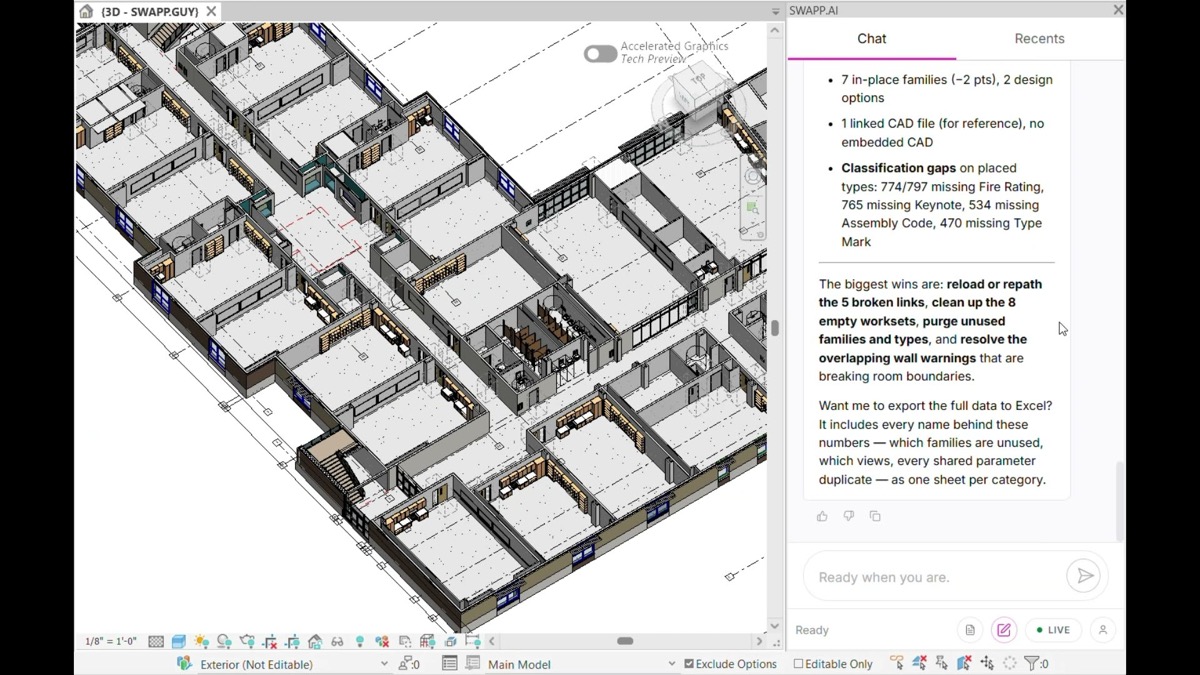
- A model health score across 60 checks in 10 categories.
Detection on the sheet still has a job. A check in your model doesn’t see your consultants’ drawings, and a final review of the issued set is good practice no matter how clean the model is. Many firms will want both: prevention in the model during design, and a document check at issue.
Where to invest first
We’d start with use cases, not tools, a point we’ve made before in how architects should think about AI. A few questions help sort it out:
- Where do your errors come from? If most of them trace back to coordination with documents you don’t author, document review may pay off first. If they come from your own production (missing tags, dimension gaps, drift from standards, accessibility clearances), look at the model.
- Are your standards written down? AI that applies your rules needs those rules in a form it can read, and getting them out of people’s heads is worth doing anyway.
- Who reviews the AI’s output? Whichever approach you choose, a licensed person still signs the set.
- What happens to a finding? On a PDF it becomes a task for someone. In the model it can become a proposed fix that you approve or reject.
For more on where AI fits across a practice, see our overview of AI for architecture. Frank’s documentation skills are on the Frank page, its modeling work is on the modeling page, and the SWAPP platform covers how firm knowledge and construction feedback flow back into design.
Reading documents catches mistakes. Working in the model helps people avoid them. Which end of that problem is your firm investing in?