The Problem: Architects Wasting Hours on Revit’s Repetitive Work
We are working with architects and specifically BIM managers. When asked what consumes the most time inside Revit, we hear the same list:
– Annotation and tagging
– Dimensioning drawings (and re-dimensioning after design changes)
– Coordinating sheets and views
– Checking BIM and office standards and fixing errors
These aren’t creative design tasks, they’re tedious production tasks. Yet they account for hundreds of hours per project, eating away at margins and staff morale.
This is exactly why the concept of a “Revit Co-Pilot” is emerging.
What Is a Revit Co-Pilot?
A Revit Co-Pilot is an AI-powered assistant that works alongside architects inside (and outside) of Revit.
Think of it as a digital partner that:
– Understands your drawings and models
– Automates repetitive documentation tasks
– Flags inconsistencies before they become errors
– Lets architects focus on design, coordination, and client engagement
Unlike plugins or scripts, a Co-Pilot doesn’t just run one command — it reasons like an architect, learning from office standards, and project data.
For instance, when asked to create an RCP, the co-pilot leverages your office standards and past actions to suggest the following steps:
Step 1
🗂 Create a ceiling plan segmented by zones and floors
Step 2
📑 Select the appropriate template based on the plan type
Step 3
✏️ Add dimensions and notes using annotations
Step 4
🏷 Include room tags, matchlines, ceiling levels, and references
Step 5
➕ Arrange and align grids properly
Step 6
⭕ Remove grid bubbles from within the plan
Step 7
🧹 Eliminate outdated markings
✅ Now let’s validate your plan based on the office Knowledge-Base:
Validation 1
🏷 Ensure every room has a room tag, ceiling level, and necessary references
Validation 2
🔍 Verify that annotations do not overlap or duplicate information
Validation 3
🚫 Confirm that no grids are present within the plan
Why Not Everything Should Happen Inside Revit
Many firms assume an AI assistant must live entirely inside Revit. But in practice, that limits performance.
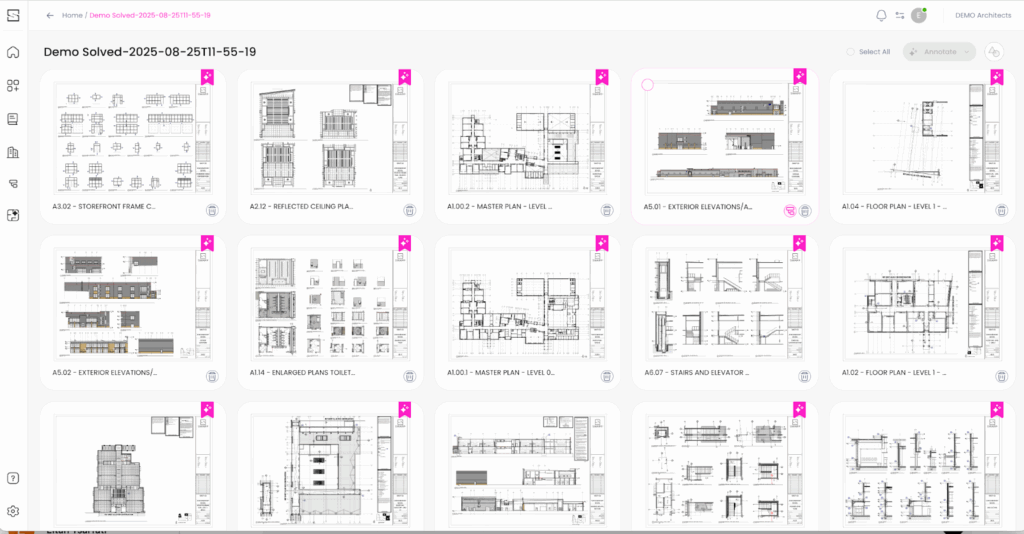
For example, generating hundreds of drawings or optimizing annotation across an entire project requires server power and advanced optimization models. A modern Revit Co-Pilot works in a hybrid way:
– Heavy automation runs outside Revit (cloud or server),
– Results are then synchronized back seamlessly into the project.
This gives architects the best of both worlds: Revit as the modeling environment, with AI automation running in parallel.
The ROI of a Revit Co-Pilot
Early adopters of Revit Co-Pilots report:
– 30–50% time savings on Construction Documents (CDs)
– More consistent outputs across large project teams
– Happier staff, since junior architects spend less time on “red-line grunt work”
– Fewer errors passed to consultants and contractors
For firms juggling deadlines and staffing shortages, that’s not just convenience, it’s survival.
The Future of BIM Workflows
The “Revit Co-Pilot” is more than a buzzword. It’s part of a larger shift:
Revit is only one example of BIM software and just as BIM replaced CAD, AI co-pilots will redefine BIM production. The firms adopting them now will be the ones delivering faster, more accurate projects tomorrow.
Final Thoughts
If you’re an architect, BIM manager, or firm leader wondering how to stay competitive, the question isn’t “Should I use a Revit Co-Pilot?” it’s “How quickly can I put one to work?”